
jennet1 님의 블로그
React [ 셋팅 ] 본문
📌 1. 프로젝트 기본 스타일 정리
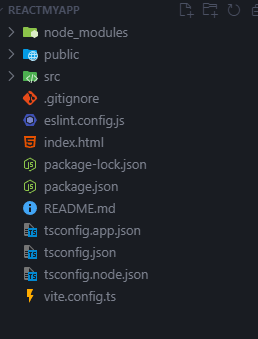
✅ App.css 및 index.css → 기본 스타일 포함, 필요에 따라 수정 또는 삭제
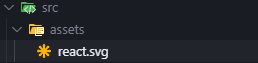
✅ 로고 필요 없으면 삭제
🌟 2. Tailwind CSS 설치
📌 아래 명령어를 실행하여 Tailwind CSS 및 관련 패키지 설치
npm install -D tailwindcss@3.4.17 postcss@8.4.31 autoprefixer@10.4.14
📌 설정 파일 생성 (Tailwind 및 PostCSS 초기화)
- tailwind.config.js와 postcss.config.js 파일이 생성
npx tailwindcss init -p⚙️ 3. Tailwind 설정 파일 수정 (tailwind.config.js)
📌 주요 설정:
- content 경로 수정하여 Tailwind가 적용될 파일 지정
- theme.extend를 활용하여 추가적인 스타일 확장 가능
/** @type {import('tailwindcss').Config} */
export default {
  content: [
    "./index.html",
    "./src/**/*.{js,ts,jsx,tsx}",
  ],
  theme: {
    extend: {},
  },
  plugins: [],
}
🎨 4. 기본 스타일 적용 (index.css)
📌 Tailwind CSS의 기본 스타일을 불러오기 위해 아래 코드 추가
@tailwind base;
@tailwind components;
@tailwind utilities;
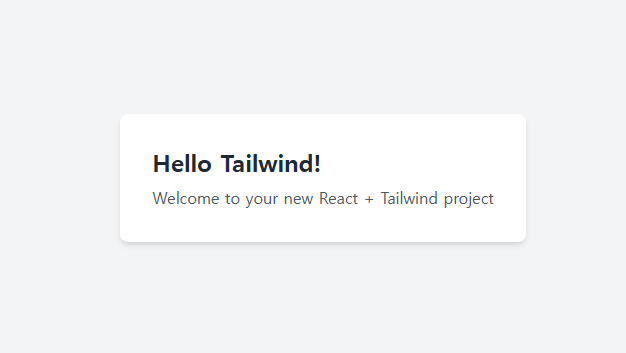
📌 Tailwind가 정상적으로 적용되었는지 확인하기 위해, App.tsx에서 테스트 코드 추가
function App() {
  return (
    <div className="min-h-screen bg-gray-100 flex items-center justify-center">
      <div className="bg-white p-8 rounded-lg shadow-md">
        <h1 className="text-2xl font-bold text-gray-800">Hello Tailwind!</h1>
        <p className="mt-2 text-gray-600">Welcome to your new React + Tailwind project</p>
      </div>
    </div>
  )
}

export default App
🛠 5. TypeScript 설정 (tsconfig.json 수정)
{
  "compilerOptions": {
    // TypeScript 컴파일러 옵션들
    "target": "ES2020",        // JavaScript 버전을 ES2020으로 지정
    "lib": ["ES2020", "DOM", "DOM.Iterable"],  // 사용할 라이브러리 정의
    "module": "ESNext",        // 모듈 시스템을 ESNext로 지정
    "jsx": "react-jsx",        // React JSX 문법 지원
    "strict": true,            // 엄격한 타입 체크 활성화
    "baseUrl": ".",            // 절대 경로 임포트의 기준점
    "paths": {                 // 경로 별칭 설정
      "@/*": ["src/*"]        // @/로 시작하는 임포트는 src/ 디렉토리에서 찾음
    }
  },
  "include": ["src"],         // TypeScript가 처리할 파일들
  "references": [{ "path": "./tsconfig.node.json" }]  // tsconfig.node.json 참조
}
📌 Node 환경 설정을 위한 tsconfig.node.json 추가
{
  "compilerOptions": {
    "composite": true,         // 프로젝트 참조를 위한 설정
    "module": "ESNext",        // Node.js용 모듈 시스템
    "moduleResolution": "bundler",  // Vite와 같은 번들러 사용을 위한 설정
    "allowSyntheticDefaultImports": true  // default export가 없는 모듈도 import 가능
  },
  "include": ["vite.config.ts"]  // Vite 설정 파일만 포함
}
🔄 6. 서버 재시작 및 적용 확인
npm run dev
'라이브러리 > React' 카테고리의 다른 글
| React [ Vite] (0) | 2025.02.06 |
|---|---|
| React [ 컴포넌트 ] (0) | 2025.01.06 |
| React 앱 생성하기 (1) | 2024.12.17 |
'라이브러리/React' Related Articles
more

